Simplify & Secure Your Online Life with Zeylink
Tired of Password Overload? Say goodbye to the endless cycle of forgotten, invalid, and insecure passwords for most of your online accounts. Zeylink drastically reduces your need for them, making your digital life simpler and more secure.
How it Works
Zeylink transforms your device into a secure identity anchor. By removing traditional passwords and PINs, it provides a seamless, cryptographic bridge between your app and any Zeylink-enabled service:
- Initiate: Click Login with Zeylink on the website. Depending on the site’s requirements, you may be asked to provide your email to match against your secure credentials.
- Scan: Open your Zeylink app and scan the unique QR code displayed on the screen to establish a secure handshake.
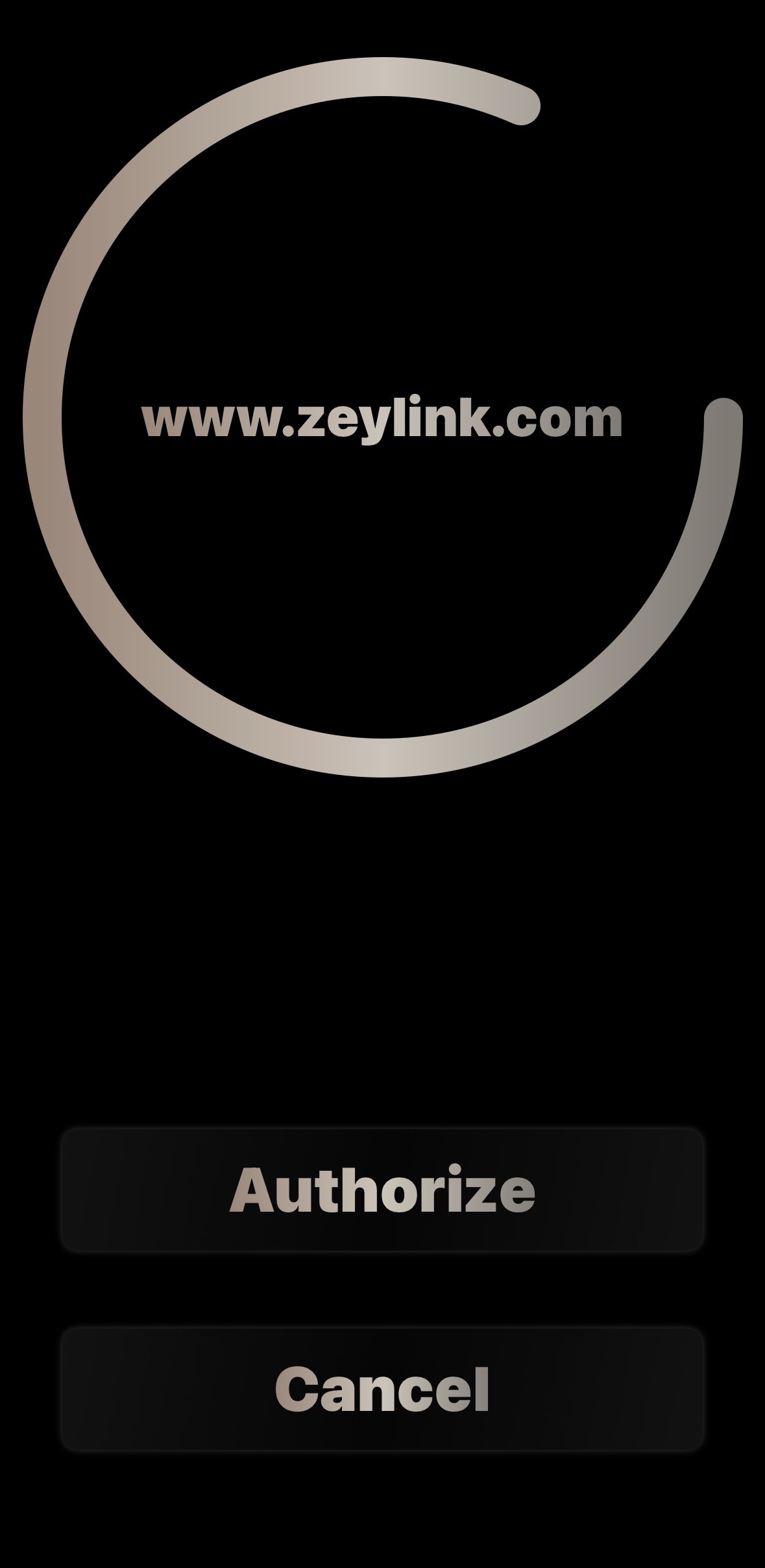
- Authorize: Perform a long-press on the Authorize button within the app. This intentional gesture signs the request using your device-bound private key.
- Finalize: Once authenticated, the website will either automatically poll the request or prompt you to click Continue to access your account.
Zeylink Benefits:
- You're in Charge: Zeylink isn't another company logging in for you. It's your personal keychain, giving you direct, secure access to your accounts on their websites. Your identity remains with the websites you trust.
- Significantly Fewer Passwords: Focus your strong, unique passwords only on crucial master accounts (like email).
- Isolate Security Breaches: Each Zeylink login creates a unique, site-specific credential. If a website you use ever suffers a breach, only that site is affected – your other accounts remain secure, unlike traditional password methods where one leak compromises many.
- Stronger Protection: Greatly enhance your security against common online threats like credential stuffing and data breaches.
- Phishing Resistant: Our unique login process makes phishing significantly more difficult compared to traditional password methods- there is no password to steal!
- Complete Privacy: We never collect or sell your data. Your information remains just that: truly yours.
At Zeylink, we believe your online experience should be effortless and inherently secure. By fundamentally rethinking how you access websites, we provide a solution that truly puts your privacy and protection first. Embrace a simpler, safer way to connect online.
Zeylink - Where Privacy meets Security.
Zeylink: The Future of Login.
Tired of password headaches, user churn, and the constant threat of account fraud?
Traditional authentication is broken. Users battle forgotten passwords, leading to frustration and support calls. Simultaneously, rampant password reuse and unauthorized account sharing pose significant security risks and drain revenue from your platform.
Zeylink fundamentally re-imagines user authentication. It eliminates traditional passwords entirely, offering a seamless, secure login experience that integrates directly with your existing user accounts.
How Zeylink Works for Your Users:
Zeylink establishes a secure, encrypted link between your website and the user's mobile device, where your website remains the ultimate authority for user identity:
- The Initial Request: The user clicks "Login with Zeylink" on your site. Your backend generates a unique session nonce and displays a QR code containing your API endpoint and the nonce. The user scans this with the Zeylink app.
- Verified Device Linking: For new devices or recovery, your website takes control of identity verification. You send a magic link or verification code to the user’s registered email. Once verified via your site's existing security (2FA, etc.), your site displays a secure QR code containing the unique 32-byte secret key.
- Secure Handshake & Key Rotation: Upon scanning the secret key, the app establishes a fully authenticated (AES-GCM) connection. From this point forward, the device and server utilize rotating cryptography to ensure Perfect Forward Secrecy.
- One-Tap Returning Login: For returning users, the process is effortless. The user scans the login QR code, authorizes the request on their device (via biometrics), and they are instantly logged in. No passwords, no PINs, and no friction.
Core Benefits for Your Platform:
- Eliminate Password Friction: Drastically reduce password reset requests, improving user satisfaction and cutting support costs for returning users.
- Unrivaled Security: Built on advanced, rotating cryptography. This neutralizes credential stuffing, brute-force attacks, and offline cracking.
- Combat Account Sharing & Fraud: Our unique single-device authentication ensures only the intended user can access their account, directly combating unauthorized sharing—critical for subscription-based models.
- Powerful Anti-Phishing: Traditional phishing relies on a remote attacker being miles (or oceans) away from the victim. Zeylink introduces a unique defense layer by providing websites with the IP addresses of both the device requesting the login (the desktop) and the device authorizing it (the phone).
- Dual-IP Correlation: Your platform can now verify that both devices are originating from the same network or geographic region in real-time.
- Virtual Geofencing: This allows for a "proximity-based" security model. If a login attempt occurs on a desktop in New York but is authorized by a phone in Eastern Europe, your backend can automatically flag or block the request as a high-risk phishing attempt.
- No GPS Required: Unlike traditional geofencing that requires invasive location permissions, Zeylink achieves this "Proximity Proof" using standard network metadata, maintaining user privacy while maximizing security.
- Zero-Knowledge Architecture: By eliminating static passwords, you drastically reduce the risk and "blast radius" of a potential data breach.
A Complementary & Powerful Integration
Zeylink isn't another Identity Provider (IdP) that takes control of your user data. Instead, it functions as a highly secure, personal digital keychain for your users' existing accounts on your platform.
- You Retain Control: Your website remains the central point of truth. Zeylink provides the secure "door," but your site holds the "ID check."
- Decentralized Security: Credentials are unique for each website and are never revealed to the user or stored in a central, hackable database.
- Developer First: Our core API is free to integrate. We provide robust documentation and PHP support files designed for easy, drop-in deployment.
Let's Build a More Secure Future, Together.
Zeylink is ready to redefine authentication, creating a safer and simpler web experience. We are actively seeking strategic partnerships with innovative platforms to embed our revolutionary authentication. To get early access to our API, please email our support team. And to test out the showcase, click the following link: Try our Showcase
Eric Tiley, Founder
Support
Why is there no email required for setup?
Zeylink is designed as a 'Privacy-First' credential verifier. By not requiring an email, we ensure there is no central database to hack, no way to track your movements across the web, and no personal data to sell. We don't decide where you go; we just provide the keys.
How about cloud backup?
Cloud backup is an optional feature. If you choose to enable it, you will create a recovery account to store your encrypted keychain. This allows you to restore your access if your device is lost or stolen, though it does not support simultaneous use across multiple devices.
How do I log into more than one account on a site?
At this time there is no way to add additional logins for a single site.
How does the long-press authorization work?
To ensure security, Zeylink requires a deliberate long-press on the "Authorize" button. This prevents accidental logins and ensures that a cryptographic signature is only generated when you explicitly intend to access a site.
Why is my login request always rejected?
The Zeylink login QR code is a time-sensitive security measure that remains active for only 30 seconds to protect your account against phishing and replay attacks. This validation process relies on Universal Epoch Time; therefore, if your login is consistently expiring, it usually indicates that your device clock is out of sync. To ensure a reliable connection, please verify that your device is connected to the internet and that your system settings are set to "Set Time Automatically" so your local time remains perfectly aligned with the global standard
Is a Screen Lock required to use Zeylink?
While the app functions without one, we strongly recommend having a system-level Screen Lock enabled. Your device is your identity anchor; a Screen Lock ensures that if your phone is physically compromised, your cryptographic keys remain protected by your device's hardware-level encryption.
My device is unable to sync with a website
If your device is unable to sync with a website, make sure to check those previous bullets. If it is still unable to sync with a website, you may need to contact that website for support. The Zeylink app just stores the login keys like a keychain. We have no access to the individual keys, or have any influence over them.
How do I remove a key?
To remove a key from your keychain, simply click Keychain from the main menu, select the key that you would like to remove, and then long press until prompted. Select Remove. This will remove the login credential from the website as well.
How do I remove my account from a device?
To remove your account, simply long press Keychain on the main menu until prompted. Select Remove, and the app will wipe all of its data and reset.
How do I handle a lost or stolen device?
Since Zeylink is decentralized, we cannot remotely disable your keys. We highly recommend utilizing your phone's built-in remote wipe features.
Deactivate Apple Device
Deactivate Android Device
I need assistance implementing the API
You can contact us at support@zeylink.com. Please allow us 24 to 48 hours to respond back to you.
Legal Information
By using the Zeylink website, showcase, or mobile applications, you agree to our and acknowledge our .
Privacy Policy
Last Updated: September 2026
Zeylink ("we," "our," or "us") is committed to protecting your privacy. Our architecture is designed to minimize data collection, focusing on secure, decentralized authentication. This policy explains how we handle hardware permissions, third-party integrations, site interactions, and user data control.
1. Camera Access (App Requirement)
Zeylink requires access to your device's Camera specifically to scan QR codes for authentication.
- Scope of Use: The camera is used strictly for local image processing to decode QR data.
- Storage & Sharing: We do not capture, record, stream, or store photos or video. All processing happens ephemerally on your physical device, and camera data is never transmitted off your device.
2. Data Sovereignty & Third-Party API Integrations
Zeylink operates as a decentralized authentication engine. We do not maintain a central database of your identity, profile, or cross-site browsing activity.
- Third-Party Data Generation: When you use Zeylink to log into a third-party website, that third-party site generates and manages the cryptographic credentials. Zeylink stores only local, non-identifying binary data and UUIDs on your device to execute the handshake.
- Third-Party Server Logs: When communicating with a third-party site's API, that specific site receives standard web telemetry (such as your device's IP address, request timestamps, and basic browser/app headers)—the same technical information standard web servers process during normal browsing. Zeylink does not collect or centralize these log files.
- Siloed Infrastructure: Your identity data remains strictly between you and the specific website you choose to authenticate with.
3. Website Showcase Demo
Our website offers a live showcase to demonstrate how Zeylink authentication functions.
- Anonymous Usernames: To test the showcase, you may be asked to enter an arbitrary username. We do not ask for, collect, or store personal identifiers such as real names, email addresses, or phone numbers for this demonstration.
- Ephemeral Usage: The showcase is provided solely for educational and onboarding purposes to demonstrate the app's capabilities.
4. Children’s Privacy
Because Zeylink operates anonymously, requires no account registration, and collects no personal data—including during our website showcase—we do not knowingly solicit or collect personal information from children under 13.
5. User Control & Data Erasure
You maintain total control over your authentication state. Because your credentials and UUID handshakes are stored locally on your mobile device, deleting the Zeylink application destroys your local keys. Additionally, using the in-app feature to remove an individual key deletes it from your device and sends a signal to invalidate the active handshake on the linked website.
6. Planned Paid Cloud Features (Notice)
Zeylink currently operates locally on your client device. In future updates, we plan to introduce an optional, paid premium cloud sync and backup service.
- Opt-In & Premium Service: Cloud features will be completely optional and reserved for paid subscribers. Local-only users will remain entirely unaffected.
- Data Encryption in Transit & At Rest: When cloud features are enabled, your authentication credentials will be encrypted before being transmitted and stored on cloud infrastructure (such as Amazon Web Services). While server-generated keys and platform security layers manage the encryption pipeline, data is stored securely and encrypted at rest to protect it against unauthorized external access.
7. Updates to This Policy
We may update this Privacy Policy periodically to reflect architectural or legal updates. Any adjustments will be posted directly to this page with an updated revision date.
Contact Us
For technical questions regarding our decentralized security model, reach out to us at: support@zeylink.com
Terms of Service
Last Updated: September 2026
Welcome to Zeylink. These Terms of Service ("Terms") govern your access to and use of the Zeylink mobile application, website, showcase, authentication libraries, and developer APIs (collectively, the "Service"). By downloading the app, integrating our libraries, visiting our site, or using the Service, you agree to be bound by these Terms.
1. Description of Service
Zeylink provides a decentralized authentication engine that allows users to generate and manage secure cryptographic credentials locally on their devices to authenticate with participating third-party websites.
2. User Responsibilities & Device Security
Because Zeylink operates on a local-first, decentralized model, you are solely responsible for your usage and physical security:
- Device Control: You are responsible for maintaining the physical security of your mobile device and securing it with appropriate passcode, PIN, or biometric protection.
- Local Storage & Data Loss: In the current local-only model, your cryptographic credentials reside on your device. Deleting the application or losing access to your device without unlinking your accounts may result in the permanent loss of those local authentication keys.
3. Third-Party Websites & API Integrations
Zeylink acts as an authentication mechanism between users and independent third-party websites utilizing the Zeylink API.
- Independent Relationship: Authenticating into a third-party website via Zeylink establishes a direct relationship between you and that third party. Zeylink is not responsible for the content, privacy practices, terms, security, or uptime of third-party platforms.
- Account Recovery: Account recovery, password resets, or service access issues on a third-party website must be handled directly with that specific website provider.
4. Acceptable Use & Prohibited Activities
You agree not to misuse the Service. Specifically, you agree not to:
- Interfere with, disrupt, or attempt to exploit the Zeylink API, website showcase, or server infrastructure.
- Use Zeylink for any illegal, fraudulent, phishing, or unauthorized purpose.
- Misrepresent any third-party application or service as an official Zeylink product.
5. Developer & API Library License
Developers who integrate the ZeyAuth core library or Zeylink SDKs into commercial or private applications agree to the following terms:
- License Scope: The ZeyAuth core authentication library is free to use, distribute, and integrate into private or commercial web applications.
- Prohibition on Modification: Manual modification, tampering, or alteration of the underlying cryptographic routines, state handling logic, signature validation, or transport payload architectures is strictly prohibited.
- Architectural Compliance: The deterministic structures in the library are explicitly mirrored by the compiled Zeylink Mobile Application ecosystem. Any unauthorized internal code modifications will result in a protocol mismatch, causing decryption failures, synchronization errors, and total loss of compatibility. Zeylink is not responsible for issues resulting from altered code.
- Credential Security: You are responsible for implementing secure coding practices on your servers. Sensitive authorization keys, secret keys, and backend session tokens must remain secured on your server and never exposed in client-side code.
- Independent Compliance: Developers operate as independent data controllers and are solely responsible for providing their own privacy policies and ensuring compliance with applicable data regulations.
6. Website Showcase Demo
Our website provides a live showcase demo to demonstrate authentication flows using arbitrary usernames. The showcase is provided purely for educational and demonstration purposes. We reserve the right to modify, restrict, or discontinue the showcase at any time without notice.
7. Intellectual Property
All rights, title, and interest in and to the Zeylink application, website, logos, brand assets, and protocol architecture remain the exclusive property of Zeylink and Eric Keith Tiley.
8. Disclaimer of Warranties
The Service, libraries, and APIs are provided on an "AS IS" and "AS AVAILABLE" basis without warranties of any kind. Zeylink makes no guarantees regarding the reliability, availability, or error-free operation of the application, API, core libraries, or showcase.
9. Limitation of Liability
To the maximum extent permitted by applicable law, Zeylink shall not be liable for any indirect, incidental, special, consequential, or punitive damages, or any loss of data, use, or goodwill resulting from (a) your use or inability to use the Service; (b) any failure, breach of security, or code modification on a third-party website; or (c) unauthorized access to or alteration of your device or transmissions.
10. Changes to Terms
We reserve the right to update or modify these Terms at any time. Any changes will be posted directly to this page with an updated "Last Updated" date. Continued use of Zeylink after changes are published constitutes acceptance of the new Terms.
11. Contact Us
If you have any questions regarding these Terms of Service or developer licensing, please contact us at: support@zeylink.com